GST billing software for shops and counters in Faridabad.
Nox-Billings is counter-first GST billing software with employee access, discount approvals, inventory visibility, and day-end reporting.
It is built for owner-led shops in and around Faridabad who need a working counter that produces a real GST invoice, tracks who did what, and closes the day with a clear report.
Custom deployment and currently used by 3 businesses; direct implementation support is included and it is proven to run in real operations.
Nox-Billings is a scoped dedicated deployment; this page describes the Faridabad workflow and rollout considerations.
Audience
What the product is shaped for
Verified product screenshots
Screenshots from the current Nox-Billings Android and browser surfaces. These are the same surfaces you would use at the counter.
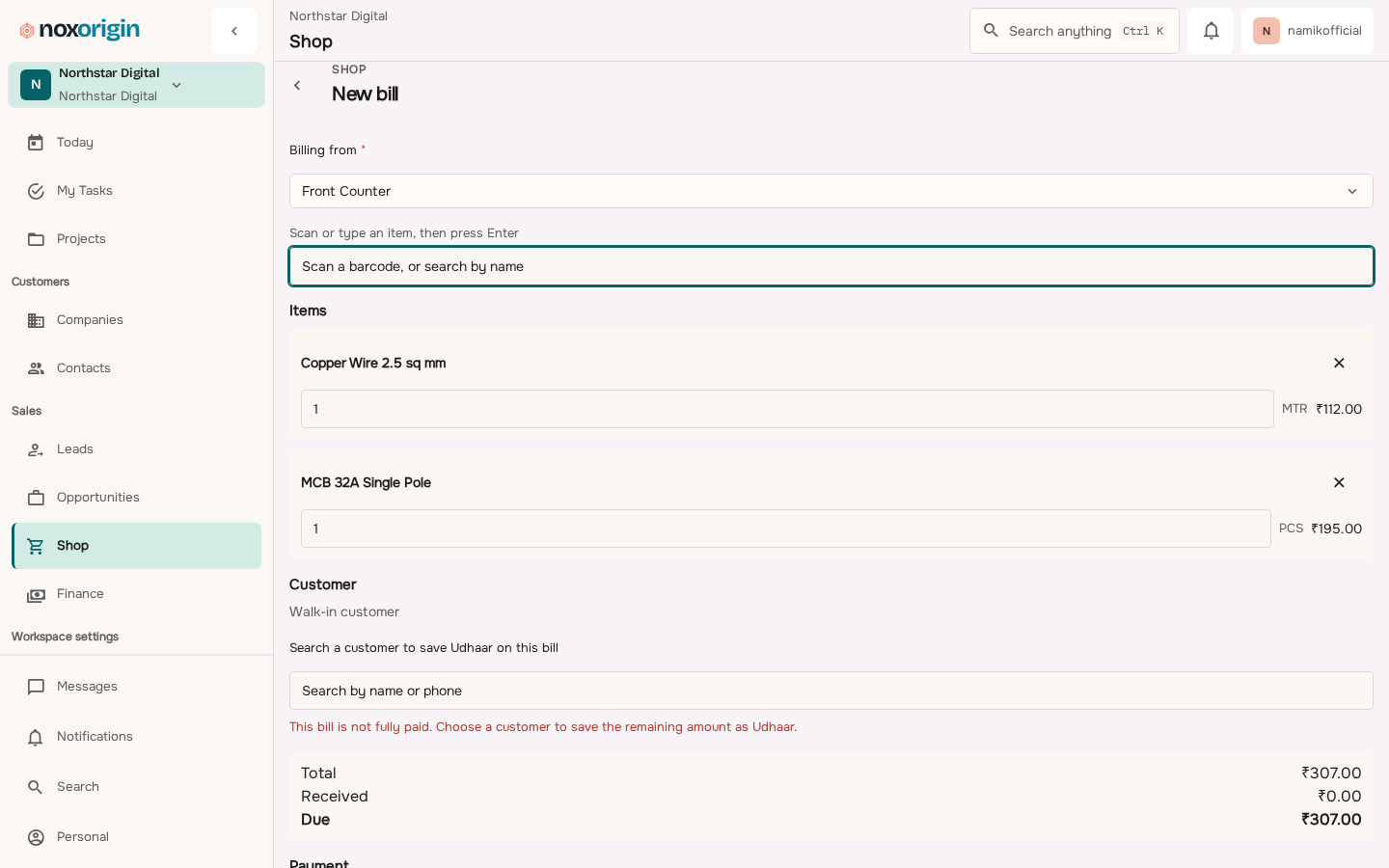 A counter sale in the current NoxOrigin app, writing into the same stock and ledger the shop reads from.
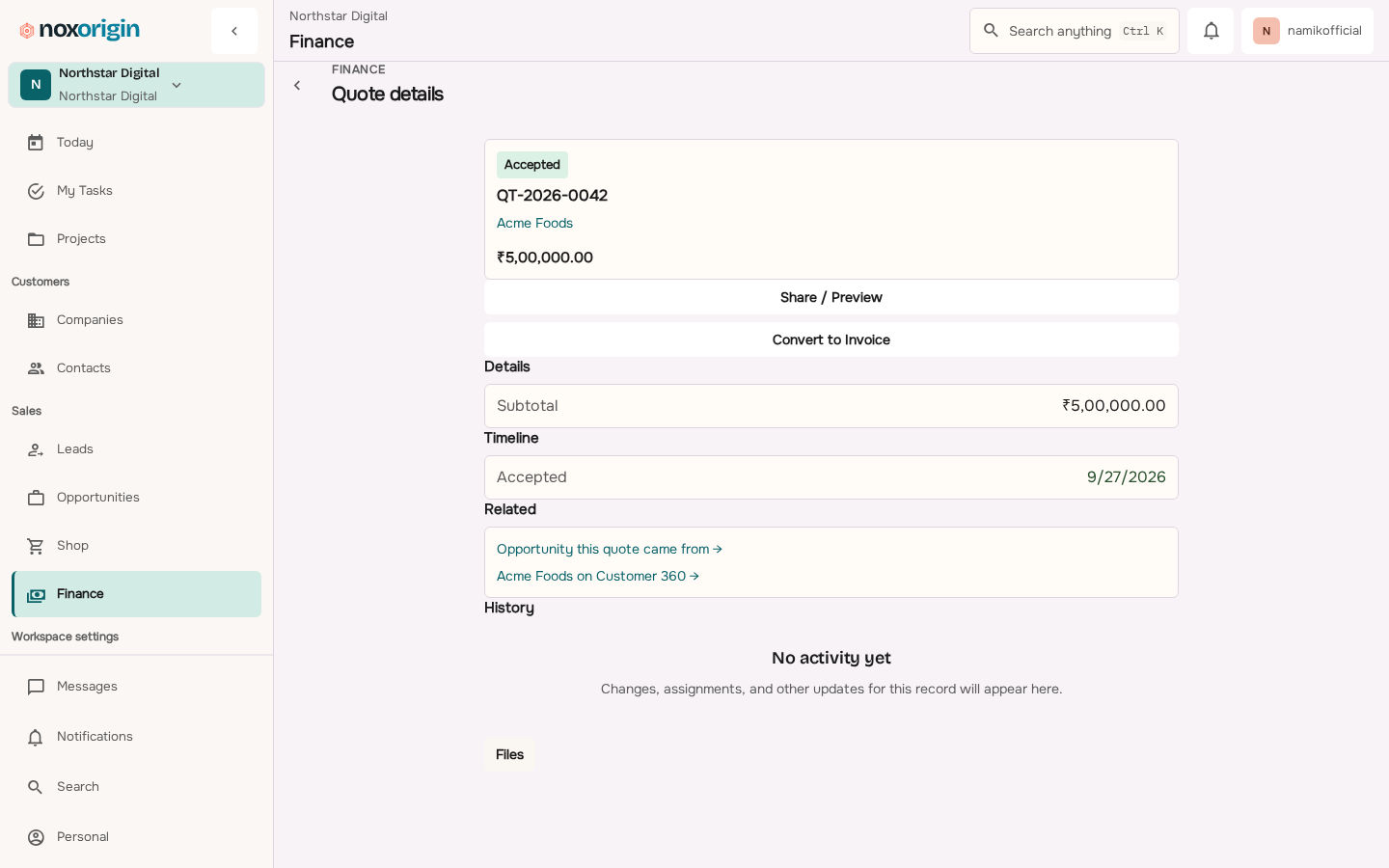 Quoted scope and manager approvals, in the current NoxOrigin app.
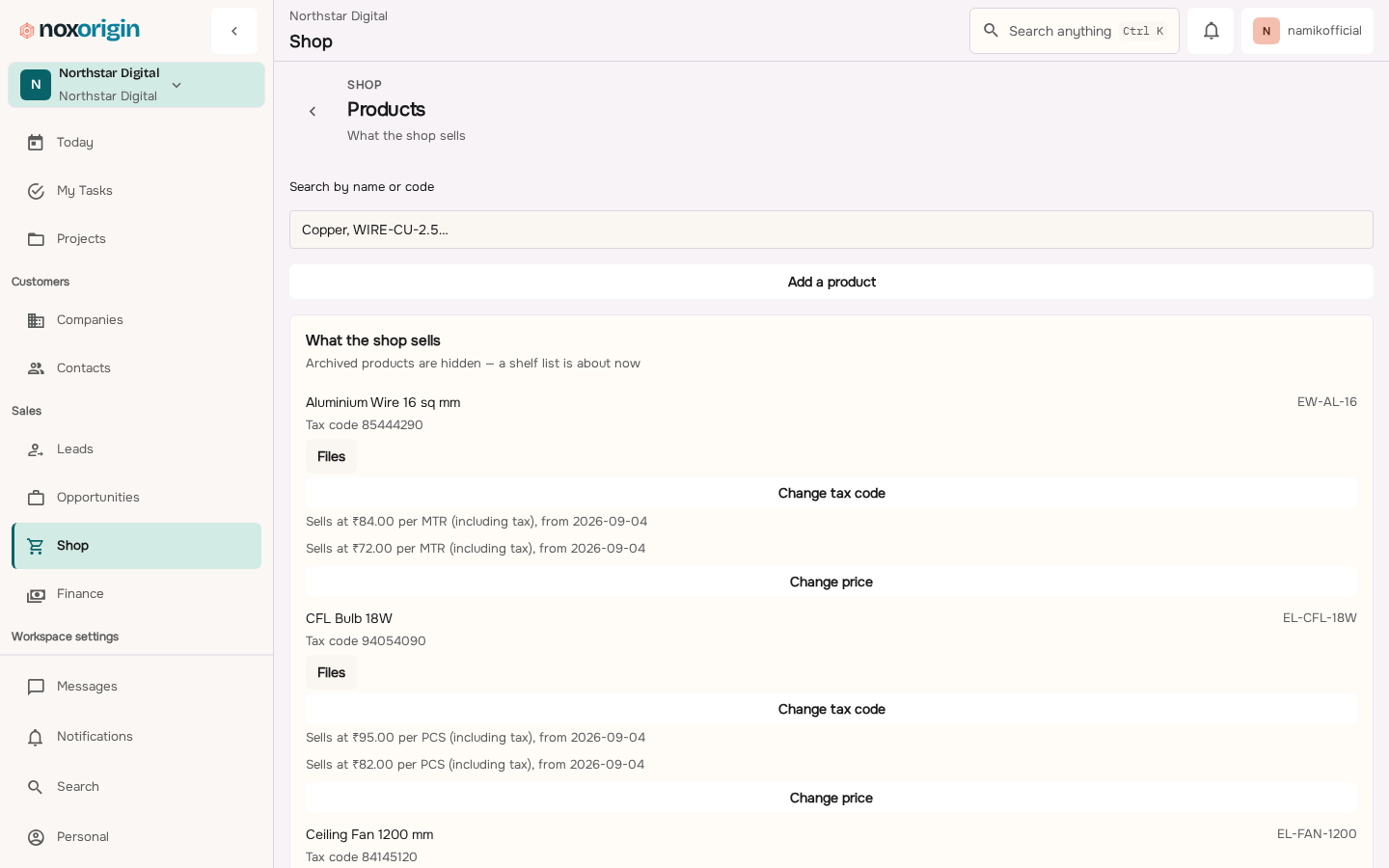 Product catalogue and stock visibility in the current NoxOrigin app.
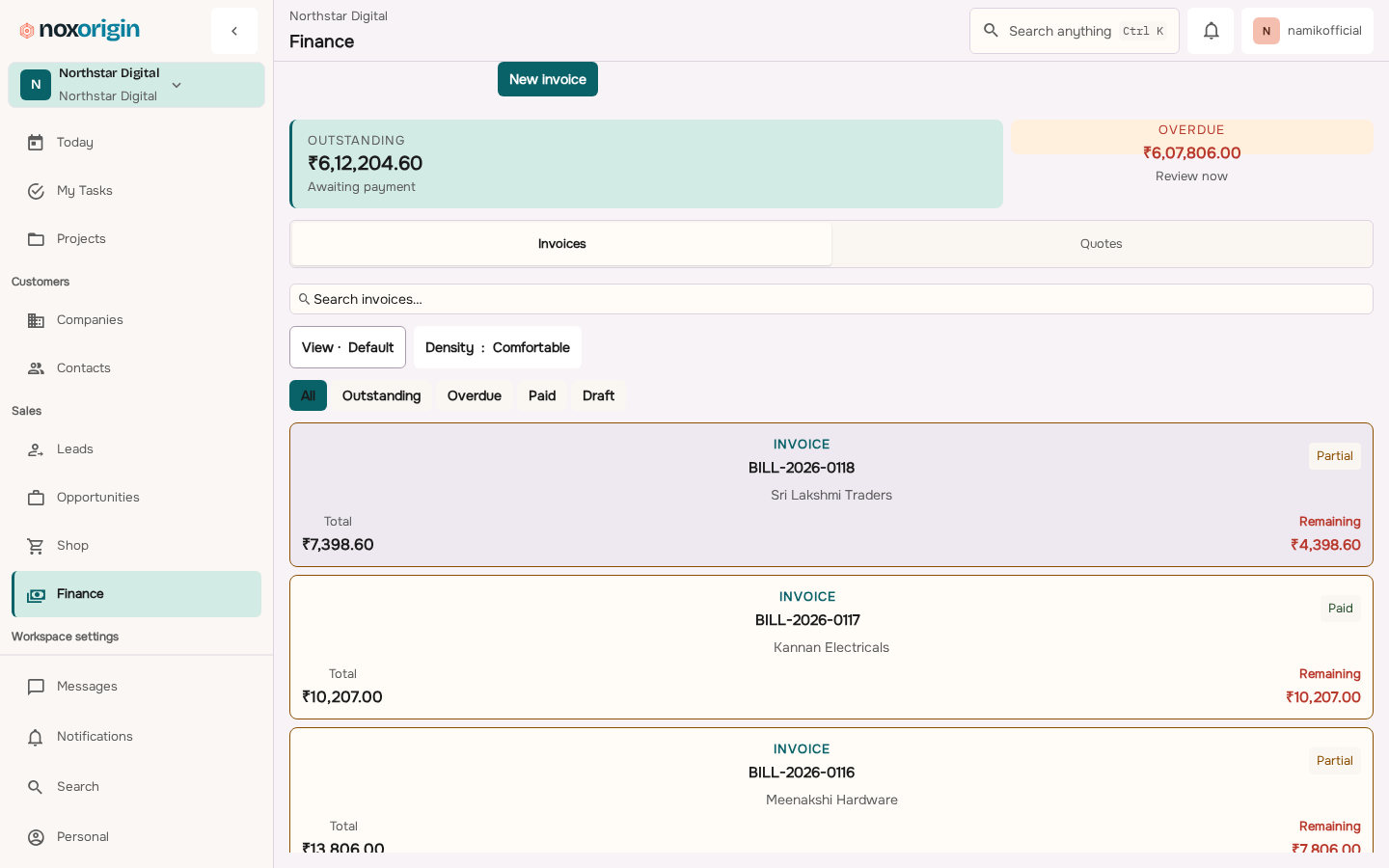 Outstanding value, invoices and payment state in the current NoxOrigin app.
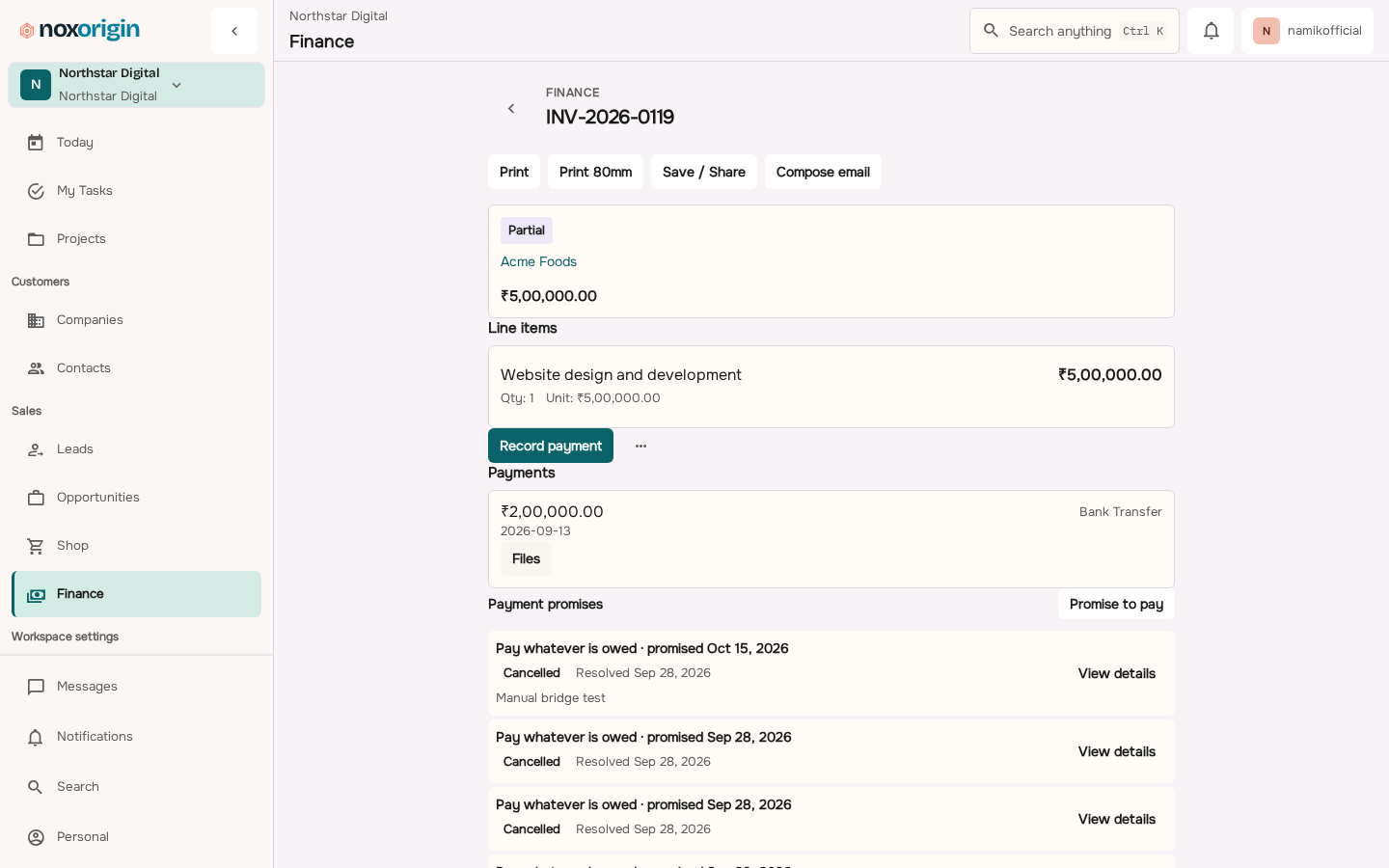 Invoice history and GST breakup in the current NoxOrigin app.
The deployment page explains the operating scope. Final pricing is confirmed in writing after rollout requirements are reviewed.
- Discovery and product-fit review (first week)
- Setup, product master, and employee access (week 2)
- Live shift and day-end review (week 3)
- Roll-out and handover (week 4)
Scope, locations, and rollout plan are confirmed in writing before onboarding begins.
Process
- Product-fit review. We review your counter workflow, products, and employee roles so the rollout matches the operation.
- Setup and master data. We import products, taxes, and employees, and configure roles, discount thresholds, and shift rules.
- Live shift. You run a live shift with our team on call for questions, then close the day and review the day-end report.
- Roll-out and handover. We hand over operations and documentation so your team owns the product day-to-day.
What is and is not in scope
- In scope: GST-ready invoices, employee logins, discount approvals, day-end reports, inventory visibility where enabled.
- Out of scope: full ERP replacement, payroll, accounting, or hardware printer certification beyond what is validated per deployment.
- Deployment scope and pricing are confirmed in writing after migration and operating requirements are reviewed.
Frequently asked questions
Does Nox-Billings produce GST invoices for Faridabad shops?
Yes. The current product scope includes GST-ready invoices with CGST, SGST, and IGST splits. Invoice numbering and the GST breakup are recorded against the order and visible in the day-end report.
Can employees use separate logins at the counter?
Yes. Employee, manager, and owner roles with separate access are part of the current Nox-Billings scope. Discount thresholds and approval queues record who requested and who approved each exception.
What does the counter look like on the day?
The cashier opens the shift, builds a sale with product search and tax calculation, applies a discount within the rules or routes it for approval, records payment, and prints or shares a GST receipt. The day-end report covers sales, payments, discounts, stock movement, and variance.
Does it work offline at the counter?
Offline and degraded-network behaviour depends on the workflow and the current app build. Confirm the required counter, payment, printer, and sync flow with us before relying on it during a connectivity outage.
Can I migrate from my existing billing system?
Yes. Migration is scoped per deployment. We start with a small set of products and one shift before scaling to multi-location rollouts.
Does it integrate with thermal printers?
ESC/POS thermal printer support exists in the product but remains feature-flagged. We confirm printer compatibility during the rollout, not as a blanket guarantee.
Where is the data hosted?
Deployment specifics are confirmed per engagement. Data residency, backup cadence, and access controls are documented in the rollout plan before the rollout starts.
Book a consultation
Tell us the workflow you run today. We will confirm whether this is a sensible fit and what to do next.